Plagiarism Plans
 Paraphrasing Plans
  Reverse Image Search
 Originality Verification
Add-on for Google Docs
Recognizing Google Docs as the central hub for academic use, a dedicated copy content detection tool works inside your document. This intuitive add-on allows teachers and students alike to bypass manual checking, delivering an instant similarity score and a detailed report highlighting all matched online sources. It's a fast, accurate, and reliable way for everyone—students, teachers, and creators—to make sure their work is truly original and free of any unintended plagiarism.
How to Scan Your Google Docs
When you start using an add-on in Google Docs, you must have available pages in your account or hold an active Duplichecker subscription. For additional pages, visit our pricing page or email our support team.
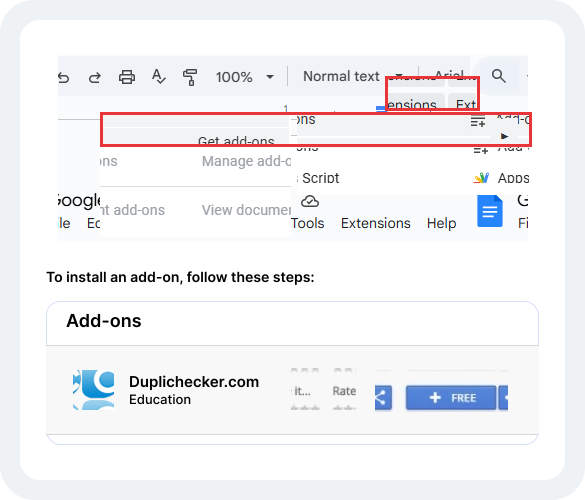
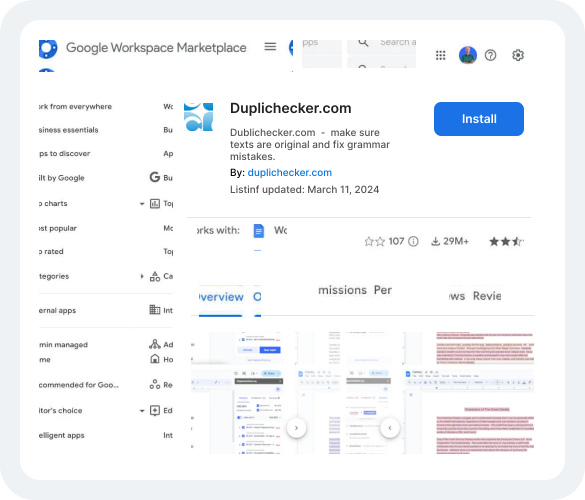
Follow these steps to install the add-on:

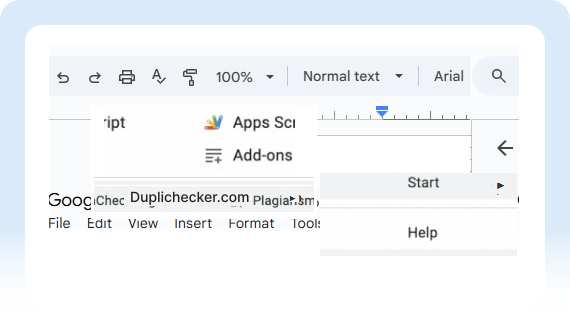
2. Once you’ve completed installing the Google plagiarism checker
Open the menu in Google Docs, select
and click
3. Connect to Drive.google.com
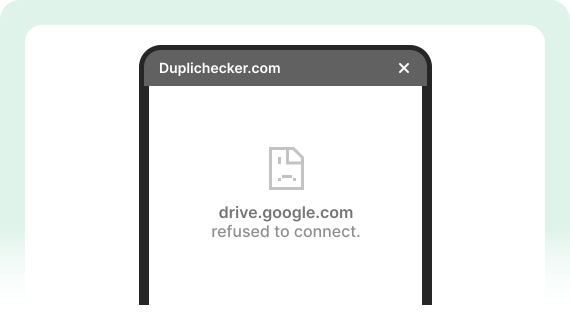
If you see the message “Drive.google.com refused to connect,” it indicates that multiple Gmail accounts are logged in simultaneously. To resolve this, open an incognito window, sign in only with the Gmail account linked to the plagiarism verification installation, and then reopen the add-on.
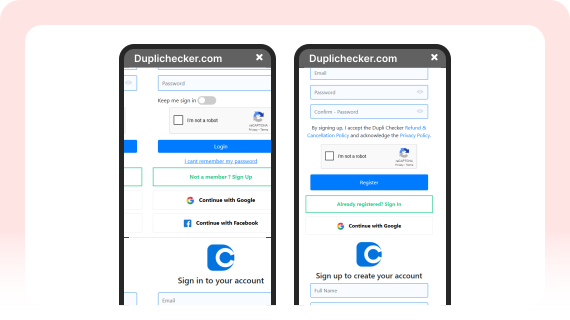
4. Sign in to your existing tool account or create a new account.
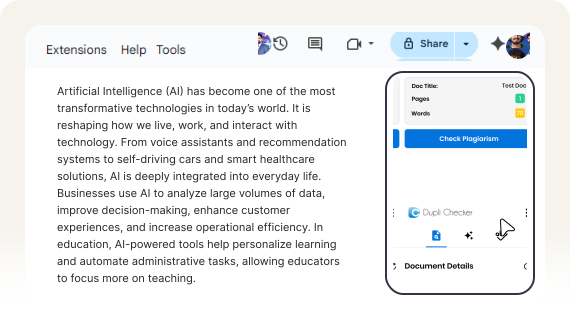
5. Click “Proceed” to submit your document for plagiarism scanning.
Make sure you have sufficient pages in your account to perform the check. To add more pages, click here and select the package that suits your needs.
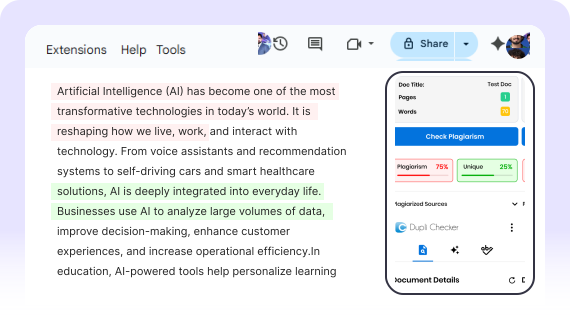
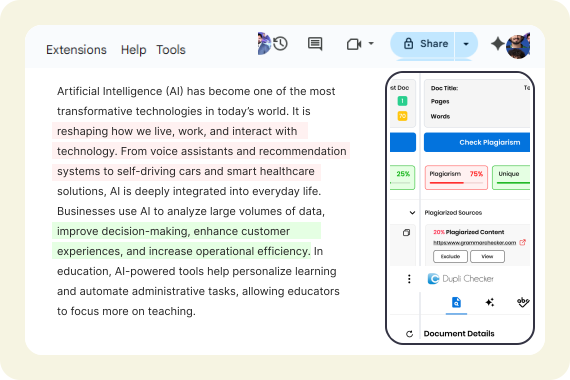
6. Allow a moment for your plagiarism report to be generated directly in Google Docs.
The similarity score shows what part of your text corresponds to existing content in the available sources, indicating how closely your writing matches already published material.
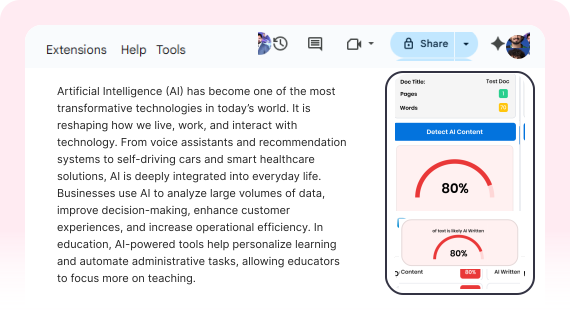
7. Review the sections that the Google Docs AI Verification flags as AI-generated.
Click the tab, and the tool will scan your document, presenting the estimated percentage of AI-produced content. Sentences will be marked as Likely AI or Highly Likely AI based on the detection results.
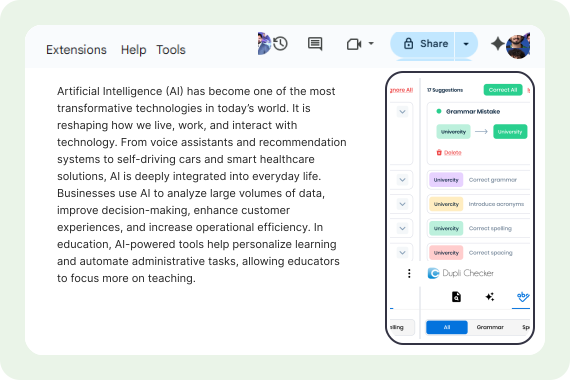
8. To spot and correct grammar, spelling, and punctuation mistakes,
Open the tab and let the tool scan your document. It will automatically highlight any areas that need improvement. Individual users should note that each scan deducts 3 pages from their available balance.
If you belong to an institution that uses this tool, access to the feature depends on your organization’s subscription settings and may be either enabled or restricted.
9. To view the full similarity breakdown,
Simply click thebutton.
Keep your work authentic with an easy-to-use Google Docs add-on that delivers fast, accurate originality checking. A trusted solution relied on by millions worldwide.
Start now, unlock the Power of our tool.
Get in touch with our team to see a quick demonstration of the tool.
Request a Demo